Managing replacements in the workflow application
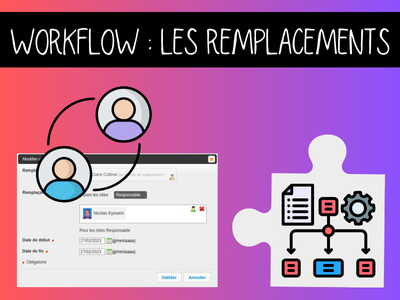
It’s friday afternoon, and Sophie is going to leave on maternity for several months. She has three urgent invoice approvals pending and two leave requests to process before Monday. Without a replacement system, these tasks would remain blocked, delaying supplier payments and leaving your colleagues without answers about their time off.
This is precisely why the replacement management feature exists in our workflow engine. Whether managing vacation periods, sick leave, or even departures, it ensures the continuity of your business processes without interruption.
How does it work?
This feature allows a workflow user to designate their replacement (or several) for a given period.

The replacement then assumes only the roles they have in common.
Concretely: if user A has roles 1-2-3 and user B has roles 2-3-4, when B replaces A, they replace them for the common roles only roles 2 and 3. The replacement is define for a specific period.
Supervisors can also manage replacements for other users.
⚠️Important note: The “supervisor” role is not supported by this feature. Therefore, it is not possible to replace a supervisor.
Replacement management is accessible from the “What do you want to do?” menu on the main screen of the request list. If you are a supervisor, you can also manage replacements for your colleagues.
To keep track of all replacements assigned to a user, the list of users they are replacing appears in the “My Replacements” section.
For each replacement, the roles (at that moment) that the replacement and the replaced user have in common are displayed.
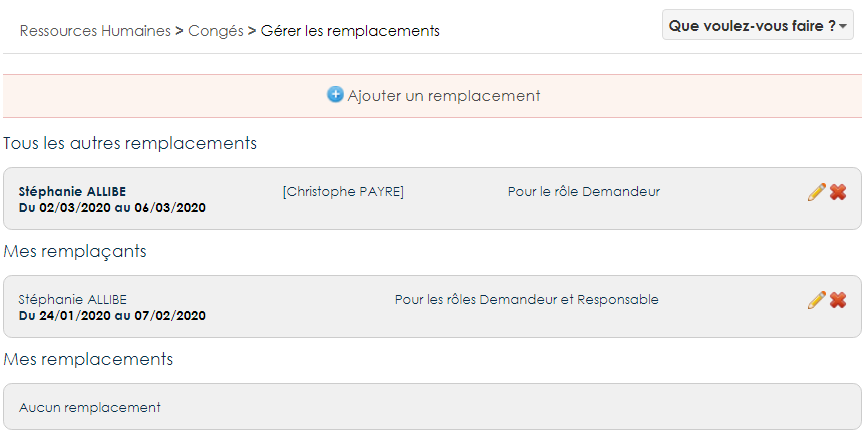
When choosing a replacement, the “Inclunding roles” filter lists all the roles of the person being replaced. They are selected by default. Users can select replacements who have at least one of the selected roles.
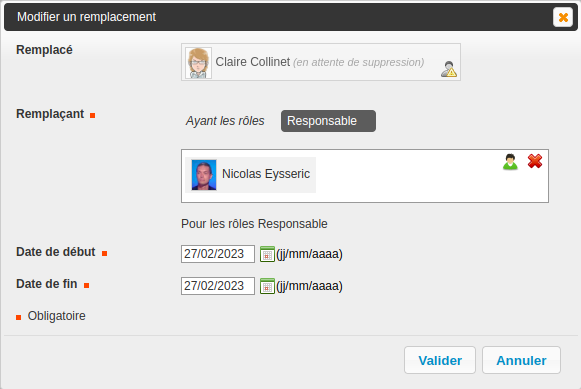
Once created, the replacement receives a notification indicating the period during which they can replace another user.
Notifications and information tracking
When the replaced person is different from the current user (supervisor case), the replaced person also receives a notification indicating the period during which they can be replaced by another user.
Of course, nothing is set in stone: Replacements can be modified, dates, people… But each modification will trigger a notification to keep all parties informed.
If user roles change and no longer allow for the replacement, a notice will alert the user.
In the workflow history, for each action, if a replacement performed it, this is indicated. And in notifications, there is a clear mention: “You are receiving this message because you are replacing Martin.”
This replacement feature also handles rarer cases, such as managing replacements for users whose account status is “pending deletion.
TASK REASSIGNMENT
The “Reassign all tasks of a user” action appears in the “What do you want to do” menu on the main page of a workflow when the supervisor role is selected.
It allows for the reassignment of all current tasks listed in the workflow. As mentioned above, it manages the replacement of a user who no longer has a valid account.
Once confirmed, all current tasks are reassigned.
This feature does not manipulate (add, modify, or delete) user or group roles in its process.
A dedicated log file tracks the launch of all task reassignment processes.
You have questions about replacement management or workflows in general?